# Vue Reader - an easy way to embed a ePub into your webapp
An vue-reader for vue powered by EpubJS
## Document
[document](https://jinhuan138.github.io/vue-reader/)
## Basic usage
```bash
npm install vue-reader --save
```
And in your vue-component...
Vue 3
```vue
```
Vue 2
```vue
```
## VueReader Attributes
| **Name** | **Description** | **Type** | **Default** |
| -------- | ----------------------- | ---------------------- | ----------- |
| url | book url or arrayBuffer | `string`/`ArrayBuffer` | — |
| title | the title of the book | `string` | — |
| showToc | whether to show the toc | `boolean` | true |
## VueReader Slots
| **Name** | **Description** |
| -------- | ----------------------------------------------------------------------------------- |
| title | You have access to title by [slot](https://v3.vuejs.org/guide/component-slots.html) |
## VueReader props passed to inner EpubView
## EpubView Attributes
| **Name** | **Description** | **Type** | **Default** |
| --------------- | ------------------------------------------------------------------------------------------------------------------------------------ | ---------------------- | ----------- |
| url | the path or arrayBuffer of the book | `string`/`ArrayBuffer` | — |
| location | set / update location of the epub | `string`/`number` | — |
| tocChanged | when the reader has parsed the book you will receive an array of the chapters | `function(toc)` | — |
| epubInitOptions | pass custom properties to the epub init function, see [epub.js](http://epubjs.org/documentation/0.3/#epub) | `object` | — |
| epubOptions | pass custom properties to the epub rendition, see [epub.js's book.renderTo function](http://epubjs.org/documentation/0.3/#rendition) | `object` | — |
| getRendition | when epubjs has rendered the epub-file you can get access to the epubjs-rendition object here | `function(rendition)` | — |
## EpubView Events
| **Name** | **Description** | **type** |
| --------------- | -------------------------------------------------------------------------------------------------------------------------------------------------------- | ----------------------------- |
| update:location | a function that receives the current location while user is reading. This function is called everytime the page changes, and also when it first renders. | `function(location)` |
| select | when select text | `function(cfirange,contents)` |
| keyPress | when press the key | `function(keyboardEvent)` |
## EpubView Slots
| **Name** | **Description** |
| ----------- | --------------------- |
| loadingView | epub view loadingView |
## EpubView Exposes
| **Name** | **Description** | **Type** |
| ----------- | --------------------- | ---------------- |
| nextPage | display next page | `function` |
| prevPage | display previous page | `function` |
| setLocation | Set the page | `function(href)` |
## Recipes and tips
## Save and retrieve progress from storage
Saving the current page on storage is pretty simple, but we need to keep in mind that `locationChanged` also gets called on the very first render of our app.
```vue
```
Vue 2
```vue
```
## Display page number for current chapter
We store the epubjs rendition in a ref, and get the page numbers in the callback when location is changed. Note that in this example we also find them name of the current chapter from the toc. Also see limitation for pagination for the whole book.
```vue
{{ page }}
```
## Change font-size
Hooking into epubJS rendition object is the key for this also.
```vue
Current size: {{ size }}%
```
## Add / adjust custom css for the epub-html
EpubJS render the epub-file inside a iframe so you will need to create a custom theme and apply it.
This is useful for when you want to set custom font families, custom background and text colors, and everything CSS related.
```vue
```
## Hightlight selection in epub
This shows how to hook into epubJS annotations object and let the user highlight selection and store this in a list where user can go to a selection or delete it.
```vue
Selection:
{{ text || '' }}
```
## Handling missing mime-types on server
EpubJS will try to parse the epub-file you pass to it, but if the server send wrong mine-types or the file does not contain `.epub` you can use the epubInitOptions prop to force reading it right.
```vue
```
## Display a scrolled epub-view
Pass options for this into epubJS in the prop `epubOptions`
```vue
```
## Enable opening links / running scripts inside epubjs iframe
Epubjs is rendering the epub-content inside and iframe which defaults to `sandbox="allow-same-origin"`, to enable opening links or running javascript in an epub, you will need to pass some extra params in the `epubOptions` prop.
```vue
```
## Related
- [react-reader](https://github.com/gerhardsletten/react-reader)
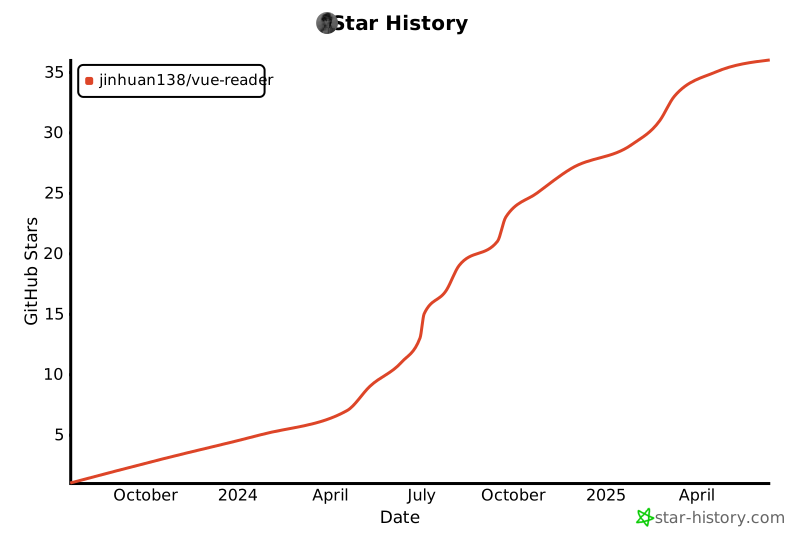
## Star History
[](https://star-history.com/#jinhuan138/vue-reader&Date)